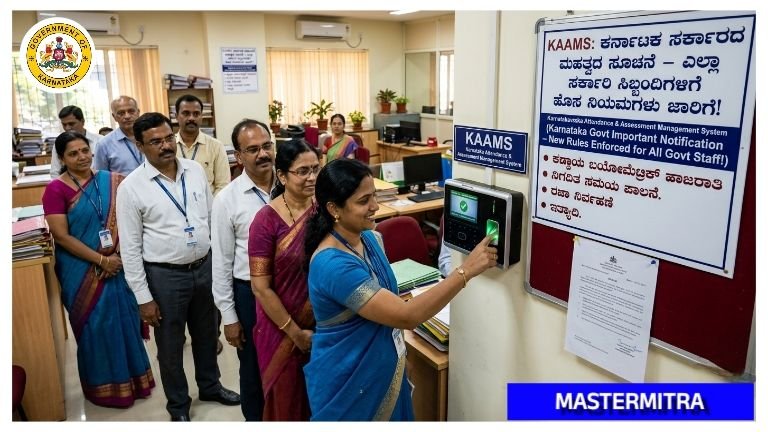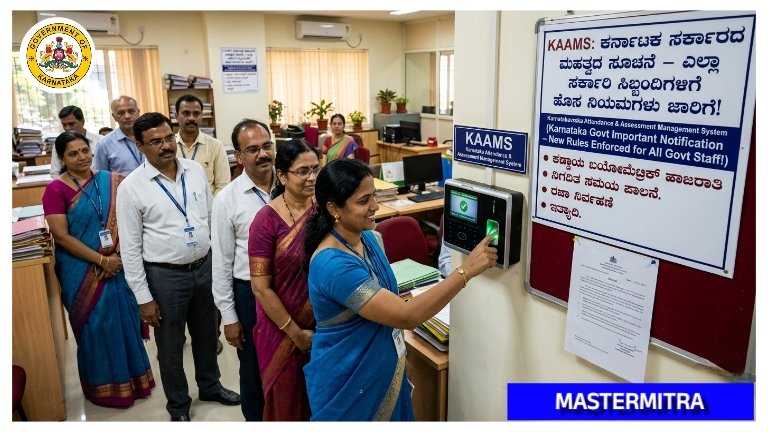
KAAMS Attendance System:ಕರ್ನಾಟಕ ಸರ್ಕಾರದ ಮಹತ್ವದ ಸೂಚನೆ
KAAMS Attendance System: ಕರ್ನಾಟಕ ಸರ್ಕಾರದ ಎಲ್ಲಾ ಇಲಾಖೆಗಳಲ್ಲಿ KAAMS (Karnataka Attendance and Monitoring System) ಮೂಲಕ ಹಾಜರಾತಿ ಕಡ್ಡಾಯ! ಸಿಬ್ಬಂದಿಗಳು ಹೇಗೆ ಹಾಜರಾತಿ ದಾಖಲಿಸಬೇಕು? ಹೊಸ ನಿಯಮಗಳು, ಮಾರ್ಗಸೂಚಿಗಳು ಮತ್ತು ಸಂಪೂರ್ಣ ಮಾಹಿತಿ ಇಲ್ಲಿದೆ. ಈಗಲೇ ತಿಳಿದುಕೊಳ್ಳಿ!
ಪ್ರಸ್ತಾವನೆ:
ಮೇಲೆ ಓದಲಾದ ಸುತ್ತೋಲೆ (1) ರಲ್ಲಿ ಕರ್ನಾಟಕ ಸರ್ಕಾರ ಸಚಿವಾಲಯಕ್ಕೆ ಸೇರಿದ ಸರ್ಕಾರಿ ನೌಕರರಿಗೆ ಬೆರಳಚ್ಚು, ಆಧಾರಿತ ಬಯೋಮೆಟ್ರಿಕ್ ರೀಡರ್ ಮೂಲಕ ಹಾಜರಾತಿ ನಿರ್ವಹಣಾ ವ್ಯವಸ್ಥೆಯನ್ನು 01.08.2009 ರಿಂದ ಜಾರಿಗೊಳಿಸಲಾಯಿತು. ತದನಂತರ ಮೇಲೆ ಓದಲಾದ ಸುತ್ತೋಲೆ (2) ರಲ್ಲಿ ರಾಜ್ಯದ ಎಲ್ಲಾ ಸರ್ಕಾರಿ ಕಛೇರಿಗಳಲ್ಲಿ ಬಯೋಮೆಟ್ರಿಕ್ ಅಳವಡಿಸುವುದನ್ನು 01.11.2013 ರಿಂದ ಜಾರಿಗೆ ಬರುವಂತೆ ಕಡ್ಡಾಯವಾಗಿ ಅನುಷ್ಠಾನಗೊಳಿಸಲು ಕ್ರಮ ಕೈಗೊಳ್ಳುವಂತೆ ಸೂಚಿಸಲಾಯಿತು.
2025-26 ನೇ ಸಾಲಿನ ಆಯವ್ಯಯ ಭಾಷಣದ ಕಂಡಿಕೆ-451 ರಲ್ಲಿ ಕರ್ನಾಟಕ ಆಧುನಿಕ ಹಾಜರಾತಿ ನಿರ್ವಹಣಾ ವ್ಯವಸ್ಥೆ (Karnataka Advanced Attendance Management System-KAAMS) ತಂತ್ರಾಂಶವನ್ನು ಅನುಷ್ಠಾನಗೊಳಿಸುವುದಾಗಿ ಘೋಷಿಸಲಾಗಿರುತ್ತದೆ. ಕೃತಕ ಬುದ್ಧಿಮತ್ತೆ (AI) ಮತ್ತು ಭೌಗೋಳಿಕ ಮಾಹಿತಿ ವ್ಯವಸ್ಥೆಗಳಂತಹ ಅತ್ಯಾಧುನಿಕ ತಂತ್ರಜ್ಞಾನಗಳನ್ನು ಬಳಸಿಕೊಂಡು ಎಲ್ಲಾ ಇಲಾಖೆಗಳಲ್ಲಿ ಸುಧಾರಿತ “ಕರ್ತವ್ಯ” ಎಂಬ ವಿನೂತನ ತಂತ್ರಾಂಶವನ್ನು ಸಿಆಸು (ಇ-ಆಡಳಿತ) ಇಲಾಖೆಯು ಅಭಿವೃದ್ಧಿ ಪಡಿಸಿದೆ.
ಮೇಲೆ ಓದಲಾದ (3)ರ ದಿನಾಂಕ 10.09.2025ರ ಸಭಾ ನಡವಳಿಗಳಲ್ಲಿ ಎಲ್ಲಾ ಇಲಾಖೆಗಳು KAAMS ವ್ಯವಸ್ಥೆಯನ್ನು ತಮ್ಮ ಅಧೀನ ಇಲಾಖೆಗಳು, ನಿಗಮ, ಮಂಡಳಿಗಳು, ಸಂಸ್ಥೆಗಳಲ್ಲಿ ಅಳವಡಿಸಿಕೊಳ್ಳಲು ಸೂಚಿಸಲಾಯಿತು. ಈ ತಂತ್ರಾಂಶವನ್ನು ಈಗಾಗಲೇ ಆರೋಗ್ಯ ಇಲಾಖೆ, ಸಿಬ್ಬಂದಿ ಮತ್ತು ಆಡಳಿತ ಸುಧಾರಣೆ ಇಲಾಖೆ(ಇ-ಆಡಳಿತ) ಹಾಗೂ ಇನ್ನೂ ಕೆಲವು ಇಲಾಖೆಗಳಲ್ಲಿ ಯಶಸ್ವಿಯಾಗಿ ಉಪಯೋಗಿಸಲಾಗುತ್ತಿದೆ.
ಪ್ರಸ್ತಾವನೆಯಲ್ಲಿ ವಿವರಿಸಿರುವ ಅಂಶಗಳ ಹಿನ್ನೆಲೆಯಲ್ಲಿ ಕರ್ನಾಟಕ ಸರ್ಕಾರದ ಎಲ್ಲಾ ಇಲಾಖೆ/ನಿಗಮ/ಮಂಡಳಿಗಳ ನೌಕರರಿಗೆ ಕಡ್ಡಾಯವಾಗಿ “ಕರ್ತವ್ಯ’ ತಂತ್ರಾಂಶದಲ್ಲಿ ಹಾಜರಾತಿಯನ್ನು ದಾಖಲಿಸುವಂತೆ ನಿರ್ದೇಶನವನ್ನು ನೀಡುವುದನ್ನು ಪರಿಶೀಲಿಸಿ ಈ ಕೆಳಕಂಡಂತೆ ಆದೇಶಿಸಿದೆ.
ಸರ್ಕಾರದ ಆದೇಶ ಸಂಖ್ಯೆ:ಸಿಆಸುಇ (ಆಸು) 126 ಕತವ 2024, ಬೆಂಗಳೂರು ದಿನಾಂಕ: 07-04-2026
ಪುಸ್ತಾವನೆಯಲ್ಲಿ ವಿವರಿಸಿರುವ ಅಂಶಗಳ ಹಿನ್ನೆಲೆಯಲ್ಲಿ ಬೆರಳಚ್ಚು ಆಧಾರಿತ ಬಯೋಮೆಟ್ರಿಕ್ ರೀಡರ್ ಮೂಲಕ ನಿರ್ವಹಿಸಲಾಗುತ್ತಿದ್ದ ಹಾಜರಾತಿ ವ್ಯವಸ್ಥೆಯನ್ನು ಹಿಂಪಡೆದು ಈ ಕೆಳಕಂಡ ಸೂಚನೆಗಳನ್ನು ಪಾಲಿಸಬೇಕೆಂದು ಆದೇಶಿಸಿದೆ:
1) ಕರ್ನಾಟಕ ಸರ್ಕಾರದ ಎಲ್ಲಾ ಇಲಾಖೆಗಳು/ನಿಗಮ/ಮಂಡಳಿಗಳಲ್ಲಿ ಕಾರ್ಯ ನಿರ್ವಹಿಸುತ್ತಿರುವ ಸರ್ಕಾರಿ ನೌಕರರು ದಿನಾಂಕ 01.05.2026 ರಿಂದ ಜಾರಿಗೆ ಬರುವಂತೆ ತಮ್ಮ ಮೊಬೈಲ್ ಮೂಲಕ ಕರ್ನಾಟಕ ಆಧುನಿಕ ಹಾಜರಾತಿ ನಿರ್ವಹಣಾ ವ್ಯವಸ್ಥೆ (Karnataka Advanced Attendance Management System-KAAMS) “ಕರ್ತವ್ಯ” ಅಪ್ಲಿಕೇಶನ್ ತಂತ್ರಾಂಶದಲ್ಲಿಯೇ ಹಾಜರಾತಿಯನ್ನು ದಾಖಲಿಸಬೇಕು.
2) ಇ-ಆಡಳಿತ ಇಲಾಖೆಯು ದಿನಾಂಕ 01.05.2026 ರೊಳಗೆ ರಾಜ್ಯದ ಎಲ್ಲಾ ಸರ್ಕಾರಿ ಕಚೇರಿಗಳ ಭೌಗೋಳಿಕ ನಿರ್ದೇಶಾಂಕಗಳನ್ನು (Geo-tag) ಸಿದ್ಧಪಡಿಸಲು ಕ್ರಮ ವಹಿಸತಕ್ಕದ್ದು.
3) HRMS, ಎಲ್ಲಾ KGID ಉದ್ಯೋಗಿಗಳ ಡೇಟಾವನ್ನು ಜಿಯೋ ನಿರ್ದೇಶಾಂಕಗಳೊಂದಿಗೆ ಕರ್ತವ್ಯ ತಂಡಕ್ಕೆ API ಮೂಲಕ 01/05/2026 ಒಳಗಾಗಿ ಹಂಚಿಕೊಳ್ಳುವಂತೆ ಕ್ರಮ ವಹಿಸತಕ್ಕದ್ದು.
4) ಎಲ್ಲಾ ಇಲಾಖೆಗಳು/ನಿಗಮ/ಮಂಡಳಿಗಳಲ್ಲಿ ಕಾರ್ಯ ನಿರ್ವಹಿಸುತ್ತಿರುವ ಸರ್ಕಾರಿ ನೌಕರರು ತಮ್ಮ ಮೊಬೈಲ್ಗಳಲ್ಲಿ IOS ಮತ್ತು Android platformಗಳಲ್ಲಿ ಲಭ್ಯವಿರುವ ‘ಕರ್ತವ್ಯ’ ಮೊಬೈಲ್ ಅಪ್ಲಿಕೇಶನ್ನಲ್ಲಿ ನೋಂದಾಯಿಸಿಕೊಂಡು ಹಾಜರಾತಿಯನ್ನು ದಾಖಲಿಸಬೇಕು.
5) ಸ್ಮಾರ್ಟ್ ಫೋನ್ ಲಭ್ಯವಿಲ್ಲದ ನೌಕರರಿಗಾಗಿ ಪ್ರಾಯೋಗಿಕವಾಗಿ ವಿಧಾನ ಸೌಧ, ವಿಕಾಸ ಸೌಧ ಮತ್ತು ಬಹುಮಹಡಿ ಕಟ್ಟಡಗಳಲ್ಲಿ ‘ಕರ್ತವ್ಯ’ ಡಿವೈಸ್ ಅಳವಡಿಸಿಲಾಗಿದ್ದು ಈ ಡಿವೈಸ್ ಮೂಲಕ ಹಾಜರಾತಿ ದಾಖಲಿಸಬಹುದು. ಉಳಿದ ಕಛೇರಿಗಳಲ್ಲಿ ಈ ಡಿವೈಸ್ಗಳ ಅಗತ್ಯವಿದ್ದಲ್ಲಿ ಸಿಆಸು (ಇ-ಆಡಳಿತ) ಇಲಾಖೆಯನ್ನು ಸಂಪರ್ಕಿಸುವುದು.
6) ಎಲ್ಲಾ ಇಲಾಖೆಗಳು ಈ ತಂತ್ರಾಂಶಕ್ಕೆ ಸಂಬಂಧಿಸಿದ ಸಮನ್ವಯಕ್ಕಾಗಿ ಒಬ್ಬ ನೋಡಲ್ ಅಧಿಕಾರಿಯನ್ನು ನೇಮಿಸಬೇಕು.
7) ಮೊಬೈಲ್ನಲ್ಲಿ ನೋಂದಣಿಯಾಗುವ ಪ್ರಕ್ರಿಯೆಯ ಬಗ್ಗೆ, ತಂತ್ರಾಂಶದ ಬಳಕೆಯ ಬಗ್ಗೆ, ತಂತ್ರಾಂಶಕ್ಕೆ ಸಂಬಂಧಿಸಿದಂತೆ ಹಾಗೂ ಇಲಾಖೆಗಳು ಮತ್ತು ಸಿಬ್ಬಂದಿಗಳ ಜವಾಬ್ದಾರಿಗಳ ಕುರಿತು ಇ-ಆಡಳಿತ ಇಲಾಖೆಯು ಸಿದ್ಧಪಡಿಸಿದ ಮಾರ್ಗಸೂಚಿಗಳನ್ನು ಇದರೊಂದಿಗೆ ಲಗತ್ತಿಸಲಾಗಿದ್ದು, ಸದರಿ ಮಾರ್ಗಸೂಚಿಗಳನ್ನು ಎಲ್ಲಾ ಇಲಾಖೆಗಳು/ನಿಗಮ/ಮಂಡಳಿಗಳು ಪಾಲಿಸತಕ್ಕದ್ದು.
Standard Operating Procedure (SOP) – Kartavya(KAAMS) Guidelines
1. Purpose
The purpose of this SOP is to provide a standardized, department-agnostic process for implementing and operating Kartavya to ensure transparency, Availability and accountability across all integrated departments.
2. Scope
This is applicable to all State Government Departments, Urban Local Bodies, Boards, Corporations, Aided Institutions, and Universities integrated with HRMS. This application is applicable to the KGID employees of the above-mentioned departments/line departments.
3. Definitions
an Al-based mobile Kartavya (Karnataka Advanced Attendance Management System) application to monitor employee attendance across all the government departments.
HRMS: Human Resource Management System the official platform that serves as the single source of truth for employee records, office details, and reporting hierarchies across all integrated departments.
KSRSAC: Karnataka State Remote Sensing Applications Centre responsible for geospatial data management, office geo-tagging, and maintaining accurate coordinates for Kartavya.
HoD: The Head of the department is accountable for overall Kartavya compliance, policy enforcement, and departmental adoption
Nodal Officer: A senior state-level officer (Joint Director or equivalent rank) designated as the single point of contact for Kartavya implementation, coordination with CeG, HRMS, and KSRSAC, and resolving departmental issues.
4. Responsibilities
4.1. Departments
4.1.1. Head of the Department
▪️Own Kartavya implementation and compliance across the department (policy, oversight, adoption).
▪️Provide leadership, set compliance targets, and chair periodic review meetings.
▪️Approval of changes in office geo-coordinates and ensuring they are accurate.
4.1.2 Departmental Nodal Officer
▪️Single point of contact for Kartavya: coordinate with CeG/HRMS/KSRSAC for onboarding,
▪️monitoring the registration and attendance marking.
▪️Ensure accurate, timely updates of employee, RO/DDO, and office details in HRMS (single source of truth).
▪️Mark the Geo-Coordinates of the offices / assets of the respective department through the Asset
▪️Tagging application of KSRSAC
▪️Maintain office and employee mappings in HRMS.
▪️Approve employee activation/deactivation in line with orders and service rules.
4.1.3. Competent Authority/Drawing & Disbursing Officer (DDO)
▪️Validate attendance, leave, and decide on exception/OOD requests as per policy.
▪️Supervise assigned employees’ attendance and day-to-day compliance.
▪️Check the Geo-Coordinates of the facilities/assets mapped by the nodal officer
4.1.4 Employee
▪️Register in Kartavya and ensure details are correct, highlight to the relevant competent authorities if incase of any discrepancies.
▪️Mark attendance daily using Kartavya within the designated office location.
▪️Submit leave On Other Duty (OOD) (during outside designated location) requests through Kartavya.
▪️Report any changes (office location, designation) to the Competent Authority/DDO/Nodal Officer for further updates.
▪️Follow relevance compliance guidelines and maintain punctuality.
4.2. HRMS
▪️Provide master data for employees, office and DDO details via secure integrations with Kartavya
▪️Share the employee transfer, DDO transfer and deputation-related data with Kartavya in a timely manner
▪️Provide necessary support to the departments to update employees (Name and Date of birth), Assets and DDO details.
▪️Retired, deceased employees details need to be updated and shared with Kartavya.
4.3. KSRSAC
▪️Provide support in Geo-tagging of offices/assets and ensure accurate coordinates are maintained in the HRMS.
▪️Process updates when offices are relocated or new facilities are added, in coordination with the respective departments and notify relevant stakeholders as and when needed.
4.4. Centre for e-Governance (CeG)
▪️Develop, maintain, and support Kartavya web/mobile applications and release periodic security patches.
▪️Provide helpdesk and master training to the relevant departments.
▪️Ensure secure HRMS integration.
5. Phase-wise Related Activities
5.1. Phase 1-Onboarding
▪️Nominate departmental Nodal Officer and communicate with CeG.
▪️Complete office geotagging readiness (coordinate with KSRSAC).
▪️Ensure HRMS master data for employees, Ro/DDO, and offices is complete and accurate.
▪️Enable Kartavya access, brief stakeholders, and set adoption milestones.
▪️HRMS need to share the master data for employees, office details, and DDO details with Kartavya
5.2. Phase 2-Registration
▪️Employees initiate registration in Kartavya..
▪️Track registration completion rates and resolve issues via Nodal Officer and helpdesk.
5.3. Phase 3-Attendance Operations
▪️Employees mark attendance via Kartavya within defined geofence/time rules.
▪️DDOs process exceptions, leave, and OOD requests in defined timelines.
▪️Departments review dashboards, enforce compliance, and take corrective action where needed.
6. Data Quality & Compliance
HRMS remains the single source of truth; all changes (employee, office, DDO) must be updated in HRMS.
Departments shall conduct periodic data quality checks (missing DDO mapping, incorrect geo-coordinates, inactive users).
CeG ensures secure integration and uptime; security assessments are conducted periodically in line with GoK policies.
7. Escalation & Support
To ensure smooth resolution of issues related to Kartavya operations, the following grievance handling mechanism shall be followed.
7.1. Points of Contact
KSRSAC:
Point of Contact: Mr.Rajashekar, Email ID: rajashekar.as@ksrsac.in. Contact number: 9880369958
▪️Scope: office geo-tagging and updating and issues related to geo-tagging data.
▪️Responsibility: Validate and correct geotagging data; update coordinates promptly. 9731400997
HRMS:
▪️Point of Contact: Mr.Purushotham Singh, Email ID: pmhrms2@karnataka.gov.in. Contact number:
▪️Scope: Employee master data, office mapping. DDO assignments.
Responsibility: Ensure data integrity and synchronization with Department and Kartavya; resolve mapping errors.
CeG (Centre for e-Governance)
Point of Contact: CeG Helpdesk Email ID: kams.helpdesk@karnataka.gov.in Contact number: 8277078123
Scope: Application-level issues Kartavya app/web), integration failures , and user access problems.
Responsibility: Provide technical fixes, escalate critical bugs, and ensure system uptime.
7.2. Escalation Matrix
First Level: Departmental Nodal Officer
Second Level: Concerned department (KSRSAC/HRMS/CeG) based on issue type
Final Level: Head of Department (HoD) for unresolved or policy-related grievances